Running a Scan
Open Scans → New Scan from the sidebar.
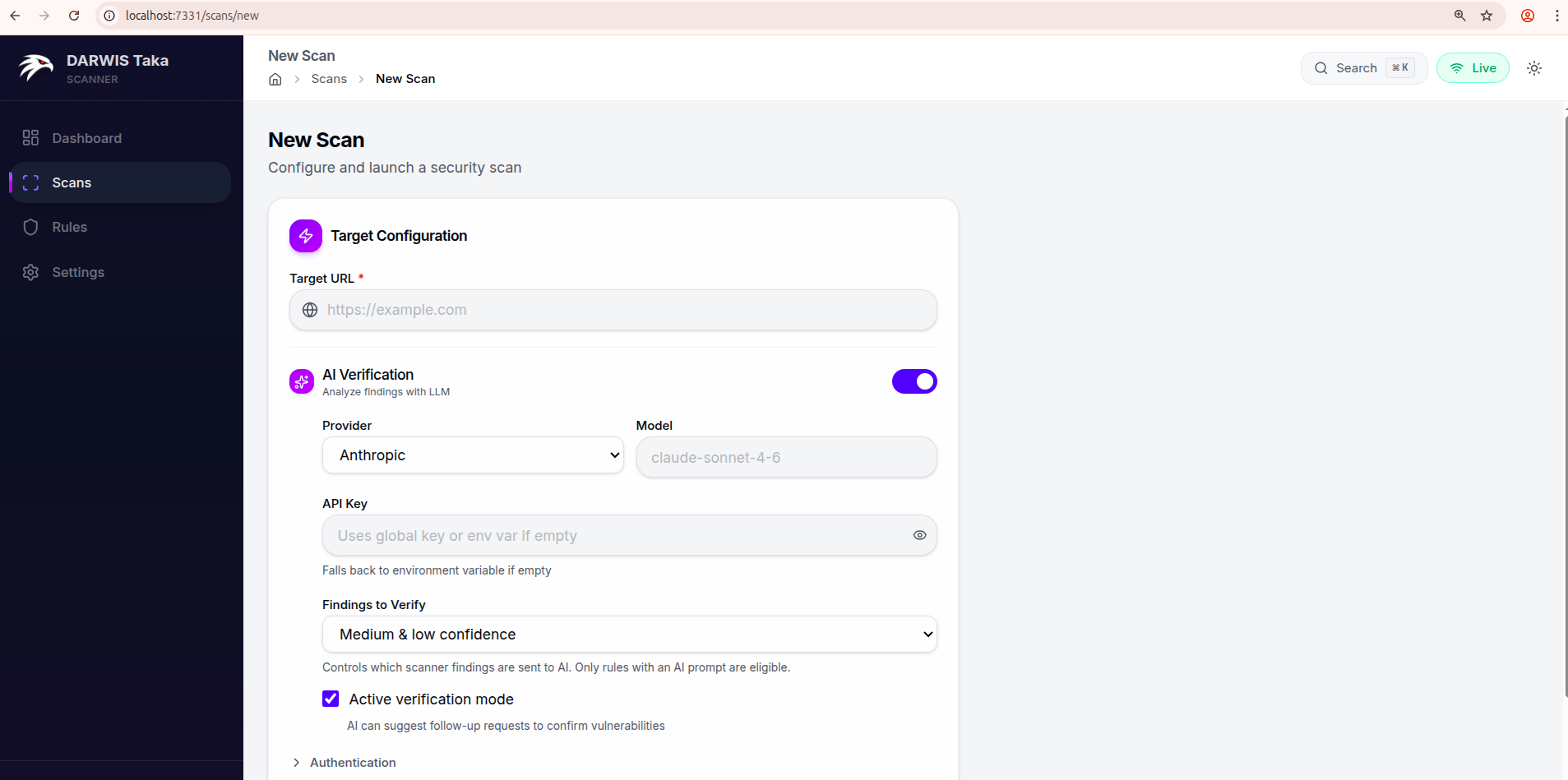
Target Configuration
Target URL
The only required field. Enter the full URL to scan, including the scheme:
https://example.com
https://staging.internal.lan:8443/app
The crawler starts from this URL. If the target needs authentication, expand the Authentication section before submitting.
AI Verification
Toggle AI Verification on to have the scanner send findings to an LLM after the scan runs. The expanded section exposes:
| Field | Description |
|---|---|
| Provider | Anthropic or OpenAI. |
| Model | Optional. Leave blank to use the provider’s default (claude-sonnet-4-6 for Anthropic, gpt-4o for OpenAI). |
| API Key | Per-scan key. Leave blank to fall back to the global key saved in Settings, then to the corresponding environment variable. |
| Findings to Verify | Any confidence, Medium & low confidence, or Low confidence only. Controls which findings are sent to the AI. Rules without an AI prompt are skipped. |
| Active verification mode | Checkbox, on by default. When on, the AI may request follow-up HTTP requests to confirm a vulnerability. When off, the AI only reviews the evidence the scanner already collected. |
See AI Verification for a deeper explanation of the two modes.
Authentication
Click Authentication to expand. Two inputs:
- Custom Headers: textarea, one header per line, format
Name: Value. - Cookies: single line, standard cookie header format (
session=abc123; token=xyz).
Both are sent with every request the scanner and crawler make to the target.
Advanced Options
Click Advanced Options to expand. Available knobs:
| Field | Default | Notes |
|---|---|---|
| Scan Name | (none) | Optional label shown on the scan list. |
| Rule Tags | (none) | Comma-separated tag filter, e.g. xss, sqli, lfi. The authoritative tag list for your installation is under Rules in the sidebar. |
| Concurrency | 10 | Number of concurrent scan tasks. |
| Scan Depth | 2 | Payload depth level. |
| Timeout (seconds) | 30 | Per-request HTTP timeout. |
| Request Delay (ms) | 0 | Delay between scan requests; raise this to rate-limit a fragile target. |
| Passive scan only | off | When on, Taka skips rules that send attack payloads. |
| Spider (sub-toggle) | on | Expands to expose Max Depth (default 4), Max URLs (default 1500), and Exclude URL Patterns (one regex per line). |
| Browser Crawl | Auto-detect | Headless Chromium for JavaScript-rendered pages. Choices: Off, Auto-detect, Always On. |
Submitting
Click Start Scan at the bottom of the form. Taka redirects to the scan detail page, which streams status and findings live as the scan progresses. See Scan Results.