The network view
The Network tab answers two questions at once: what perimeter the customer declared, and what the address space you have actually found looks like.
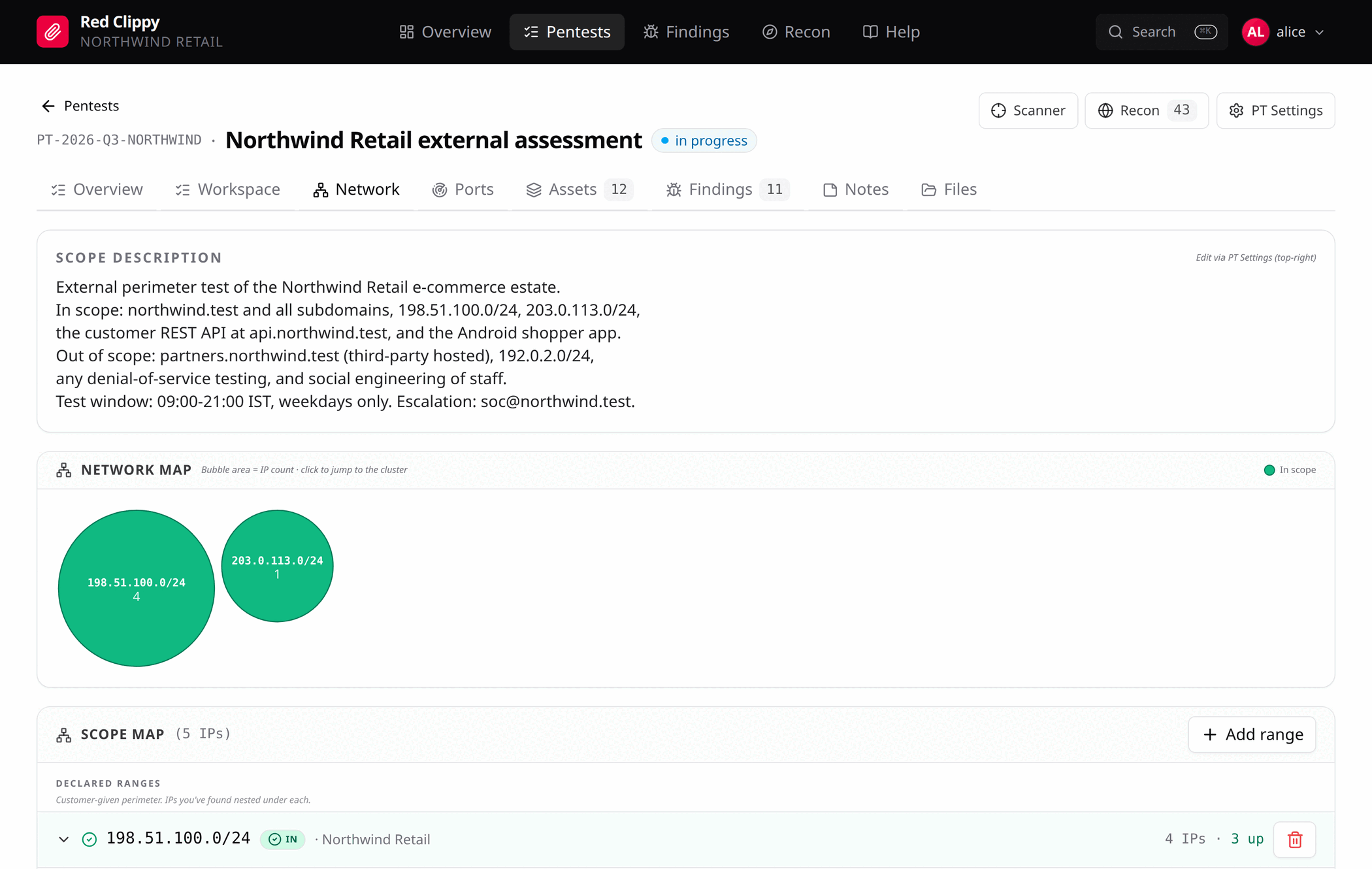
Scope description
The card at the top is the free-text scope from PT Settings, reproduced here because this is the page where you decide what is in and what is out. Edit it with the PT Settings button in the header.
The network map
Every bubble is a cluster of IP addresses, with area proportional to how many addresses it holds, biggest first. Clicking one scrolls the tree below to the matching row and highlights it.
| Colour | Meaning |
|---|---|
| Green | A declared in-scope range. |
| Blue | A discovered cluster: addresses you have found that fall in no declared range. These still need a scope decision. |
| Indigo | A loose /16: many /24 blocks each holding one or two addresses, which is the shape a CDN makes. |
| Grey | The singletons bucket. |
Declared out-of-scope ranges are deliberately not drawn. The map is for finding targets, and exclusions are not targets. They still appear in the tree below for the record.
The scope map
Below the map is the tree, in three sections.
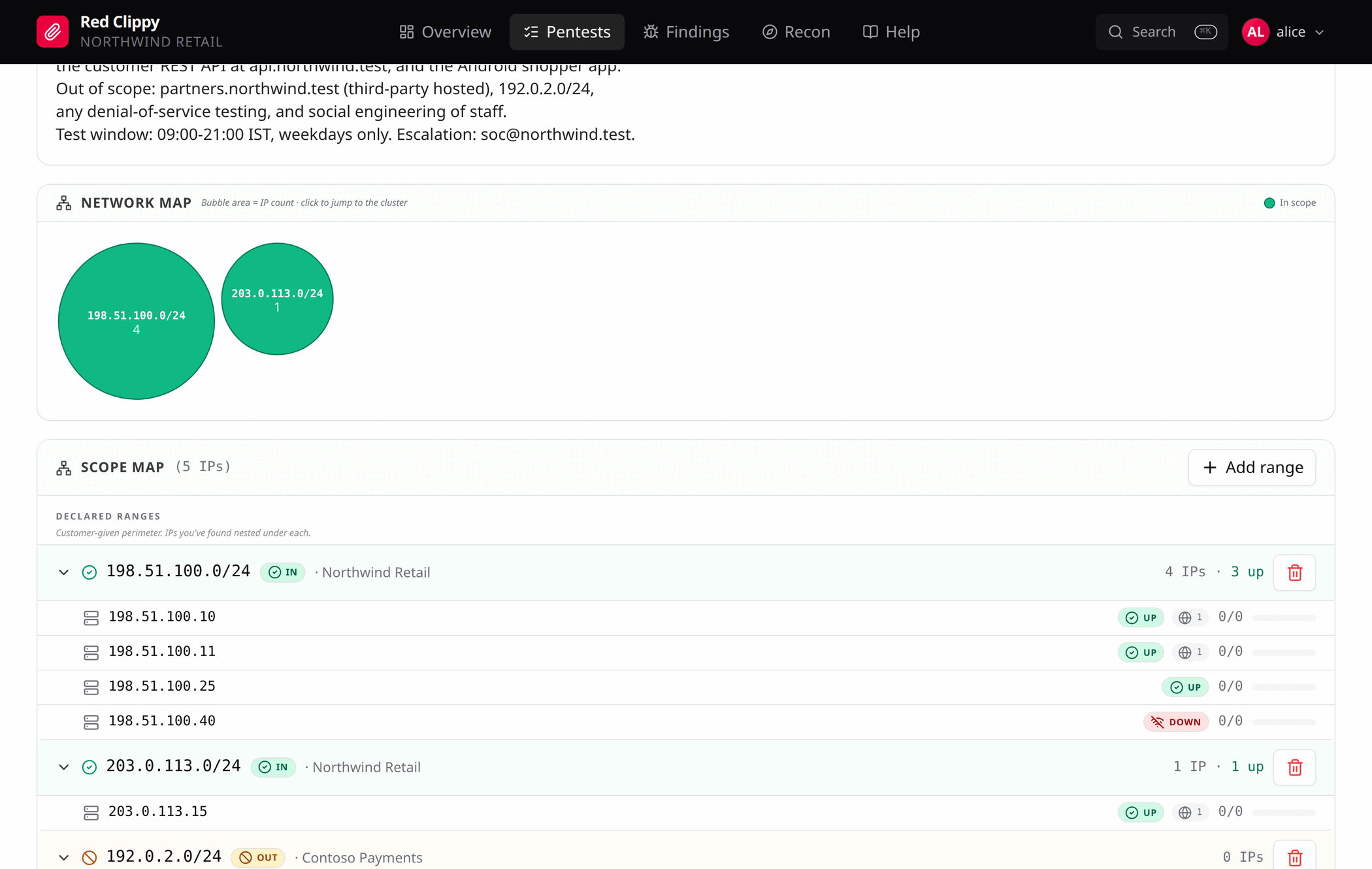
Declared ranges are the CIDRs from the engagement letter, each marked IN
or OUT, with the addresses you have discovered nested underneath. Expand a
row to see each member IP with its reachability and check progress, which
explains the “4 IPs, 3 up” summary on the row itself. A wide range such as a
/16 gets an extra /24 fold, so the customer’s perimeter and your actual
coverage line up visually.
Add range opens a dialog for a CIDR, its in or out marking, and optional ASN, organization and notes. This is where the engagement letter gets typed in.
Discovered clusters group addresses that fall in no declared range, by
/24, biggest first. Each has In and Out buttons. Pressing one records
the /24 as a declared range and applies that scope decision to every member
address at the same time. This is the quickest way to deal with a recon sweep
that turned up several unfamiliar blocks.
Singletons are /24 blocks holding a single address. They sit in a
collapsed bucket at the bottom, where they cannot crowd out the larger clusters.
Deleting a range
Deleting a declared range removes the range record only. No asset rows are touched, and any out-of-scope markings already applied to member addresses stay where they are. If you want those cleared too, clear them per address on the Assets page.
This is deliberate. Removing a line from the engagement letter should not silently pull a host back into testing.