Searching across engagements
Three pages work across the whole organization rather than one engagement: Findings, Recon, and Search. The panel labels the first two Library, which is what the eyebrow above the heading says on each.
Findings across engagements
Findings in the top bar is every finding the organization has ever logged.
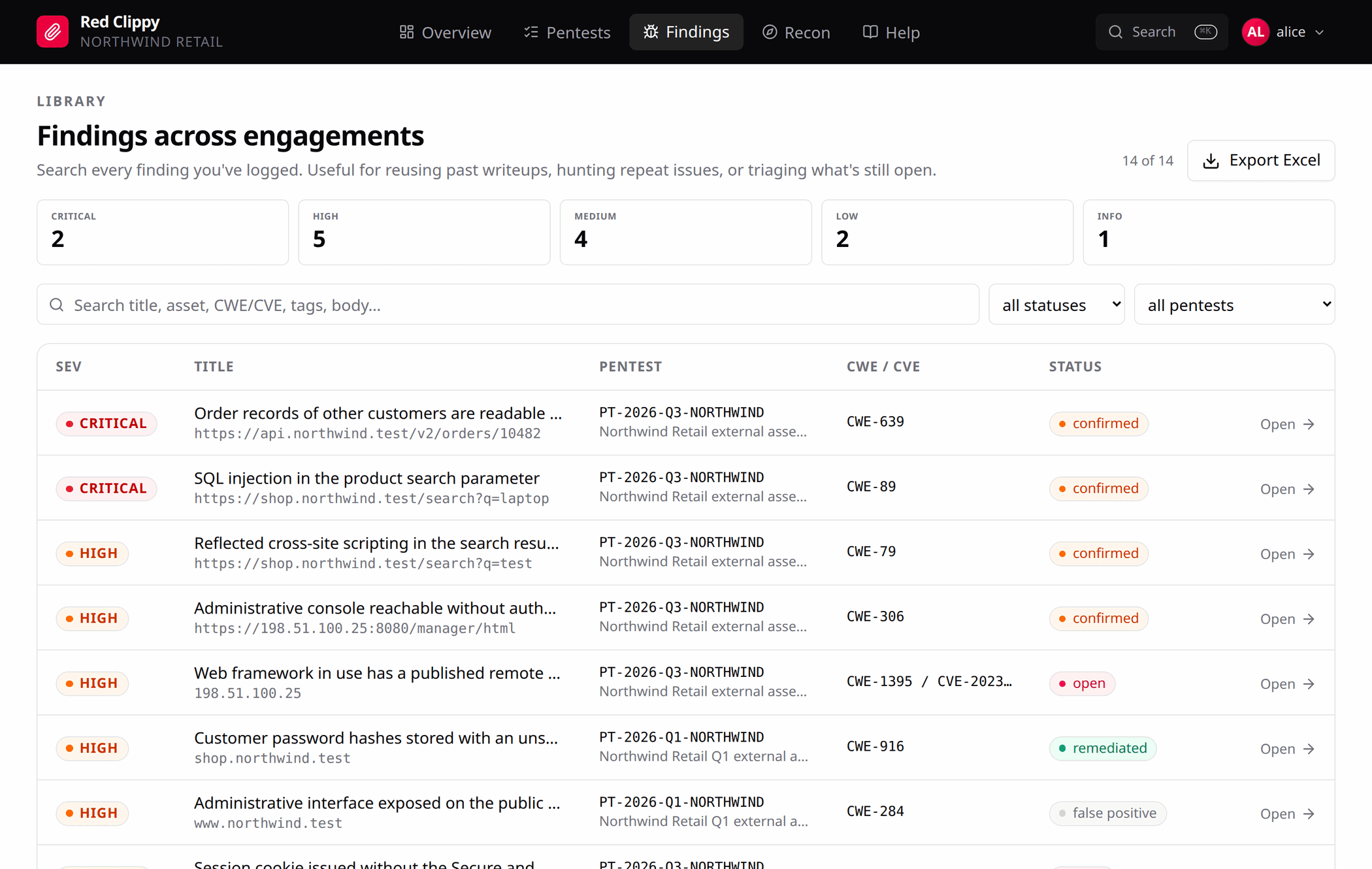
Five severity tiles across the top double as filters: click one to narrow to it, click it again to clear. Below them are a search box that matches everything (title, asset, CWE, CVE, tags, and the details, impact, proof of concept and remediation bodies), a status filter, and a filter for one engagement.
The counter next to the search box always reads “n of m”, so you can tell an over-narrow filter from an empty database at a glance.
The page has three main uses:
- Retest. Filter to last quarter’s engagement and work down the list.
- Reuse. You have written this issue up before. Find that writeup rather than writing it again.
- Repeat issues. The same missing header across four clients is worth raising differently from the same missing header once.
Export Excel downloads the whole organization’s findings, with the pentest code and name as the first two columns.
Filtering here is done in the browser over one fetch, which keeps it instant. The page is a knowledge base rather than a feed, so it is not paginated.
Recon across engagements
Recon in the top bar is the same idea for assets.
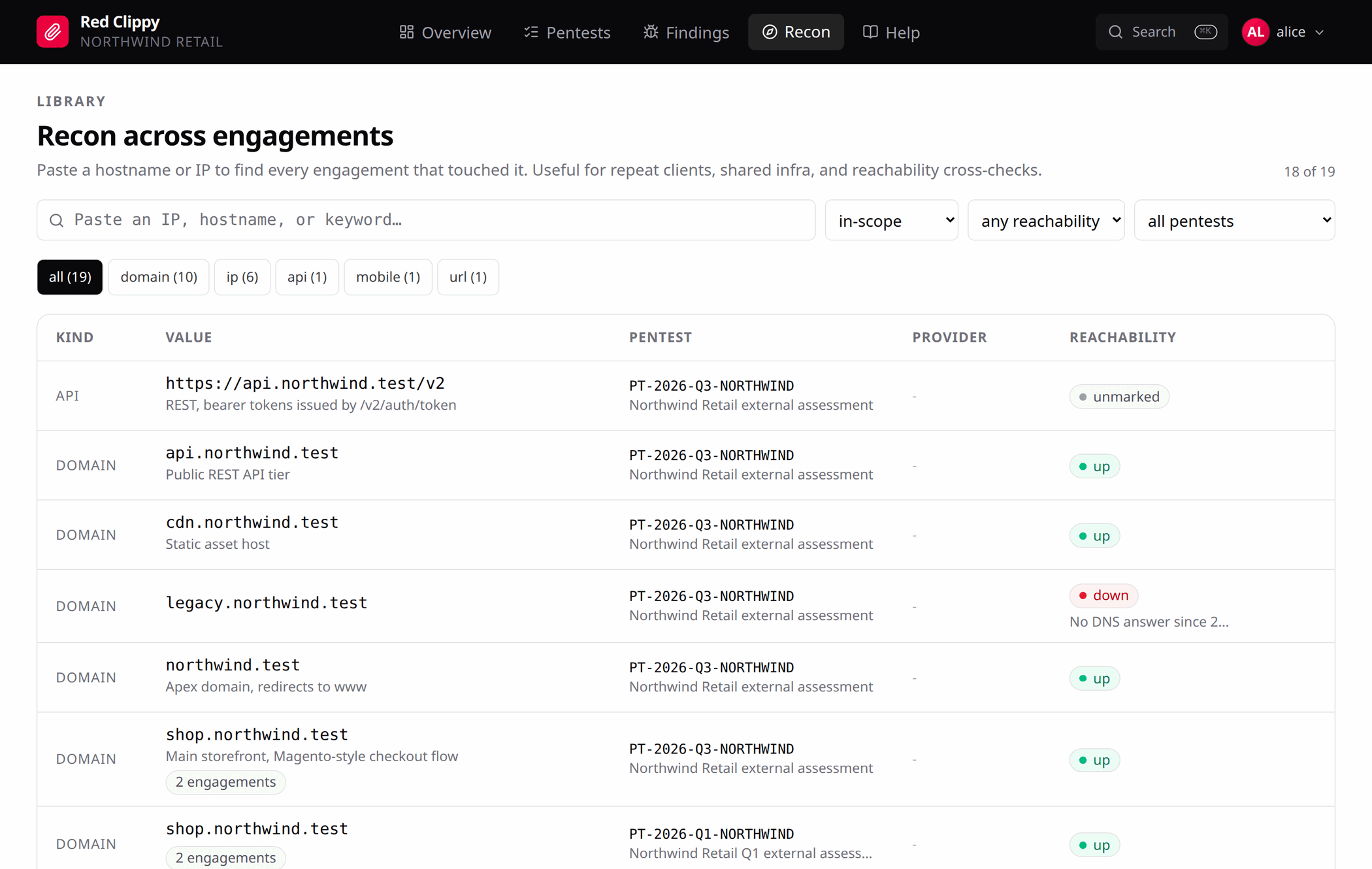
The main use is the “have I touched this before” lookup: paste a hostname or an IP and see every engagement that already has it. When the same value appears in more than one engagement, the row gets an “n engagements” badge. That usually means a repeat client or shared infrastructure.
The filters are in-scope, out-of-scope or both; reachability (up, down, blocked, unmarked); one engagement; and chips per asset kind with counts.
Watch the reachability column across engagements. The same host blocked in one and up in another is nearly always a difference in source address or VPN, not a change at the target.
Clicking a value opens that asset in its own engagement’s workspace.
Search
The command palette (Ctrl+K) covers most lookups. See all results, or
/search?q=..., opens the full page.
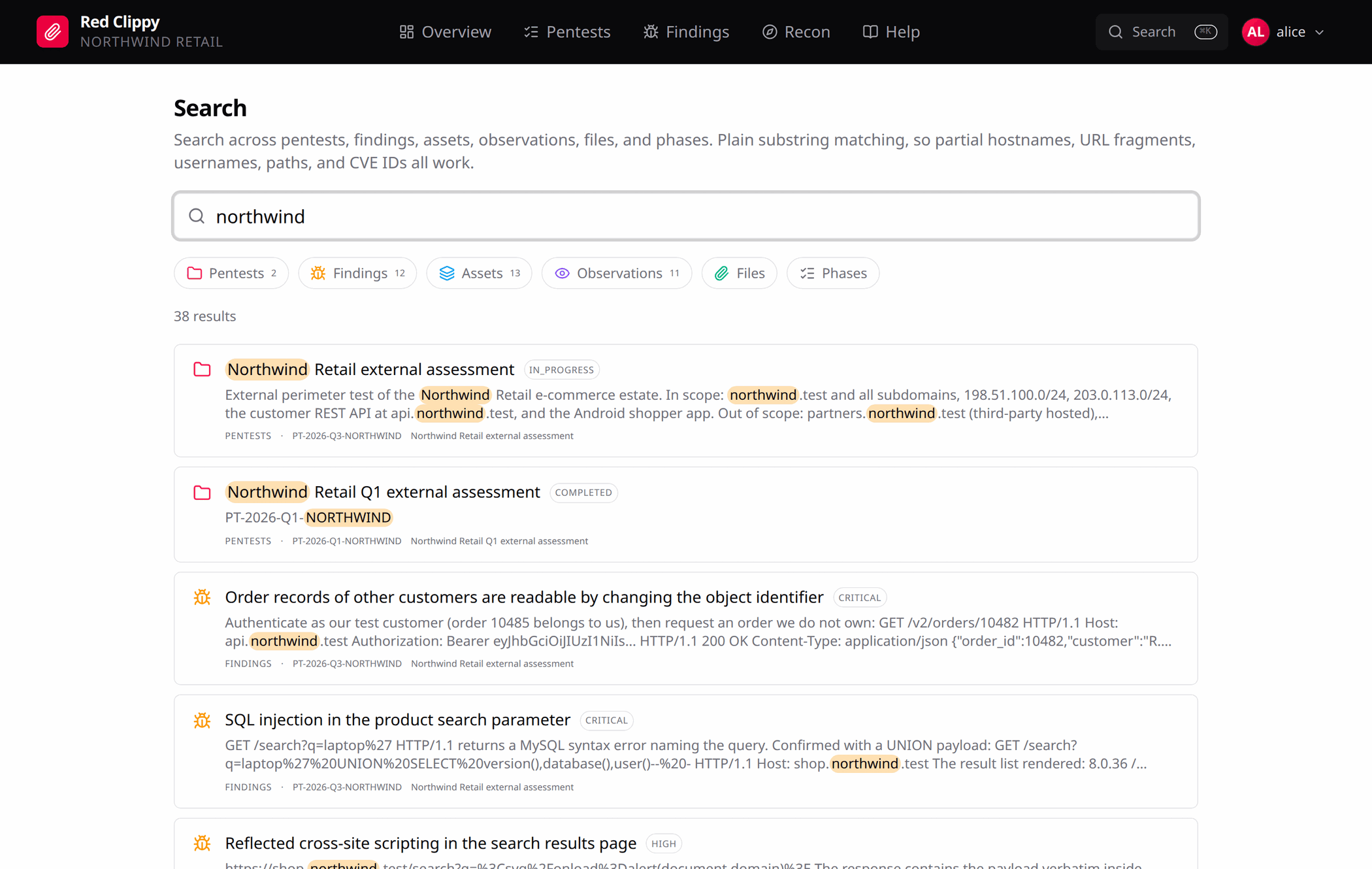
It covers pentests, findings, assets, observations, files and phases, with a count per source across the top and matches highlighted in context. Matching is plain substring, so partial hostnames, URL fragments, usernames, paths and CVE identifiers all work, and you do not have to think about tokenisation.
Every result says which engagement it came from, so a hostname that appears in three of them stays distinguishable.