Importing scanner output
Red Clippy parses the export formats of seven tools and writes the results straight into an engagement: assets, observations, findings and the raw scan record, from a single upload.
The import page
The full import page lives at /pentests/<id>/import. It is not on the tab
strip, so type the URL or use the per-asset Import tab, which appears on IP
assets and does the same thing scoped to that host.
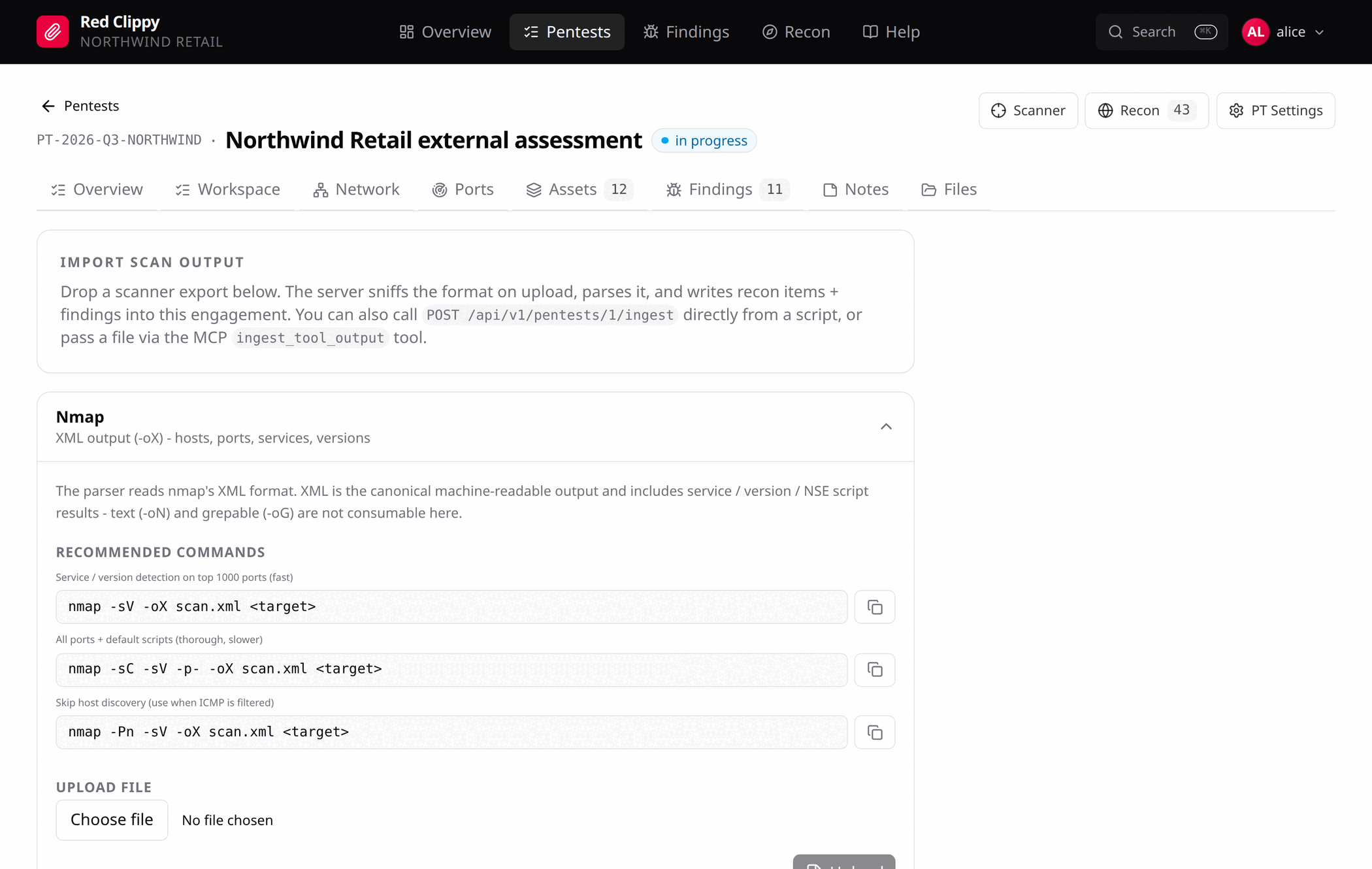
Each tool gets a card. Expanding one shows what the parser expects, the commands that produce it, and an upload box. The copy button next to a command puts it on the clipboard.
Upload a file and Red Clippy tells you exactly what it did:
Ingested nmap from perimeter.xml: 7 assets, 8 observations,
0 findings, 1 nmap scans.
The bottom of the page lists the recent nmap scans for this engagement, with the target and the command line each one was run with.
Supported formats
| Tool | Format | What you get |
|---|---|---|
| Nmap | XML (-oX) | IP assets, hostname assets from PTR records, and a port observation per open port with service, product and version. The raw scan is kept with its command line. |
| Burp Suite | Issues XML | One finding per issue, with the request and response as proof of concept, plus Burp’s background, remediation and references. |
| Nessus | .nessus v2 | One finding per report item, carrying the CVSS vector, score and CVE. Items marked informational with no CVSS score are skipped. Each host also produces host metadata and port observations. |
| OpenVAS / GVM | Report XML | Findings from host-bound NVT results, with the threat level mapped to a severity, plus host and port observations and the CVE and OID. |
| Masscan | JSON (-oJ or -oD) | IP assets and port observations. Masscan reports open ports only, never services. |
| Naabu | JSON lines | IP assets, port observations, and a domain asset when the record’s host differs from its ip. |
| Subfinder | One host per line (-silent) | A domain asset per line. |
The format is detected from the content on upload, so you do not have to say which tool produced a file. Subfinder is the exception: a bare list of hostnames is too generic to auto-detect without hijacking other uploads, so it is only parsed when the format is named explicitly. The scan engine always does that; a manual upload should use the Subfinder card.
Nmap output formats
Use the XML output. It is the canonical machine-readable format and it carries
service, version and NSE script results. Normal output (-oN) and grepable
output (-oG) are not consumable.
nmap -sV -oX scan.xml <target>            # service and version detection, top 1000 ports
nmap -sC -sV -p- -oX scan.xml <target>    # all ports plus default scripts
nmap -Pn -sV -oX scan.xml <target>        # skip host discovery, for filtered ICMP
Port merging
Re-importing the same host after a service scan updates the existing port rows with the new detail instead of stacking a second copy. Ports are matched on host, port and protocol.
This is why the masscan-then-nmap pattern works: sweep wide for open ports, re-scan the interesting ones for services, and the two results fold together.
Other import paths
The same parser is reachable two other ways.
From a script, post to the ingest endpoint:
curl -X POST http://127.0.0.1:7337/api/v1/pentests/1/ingest \
  -H "Authorization: Bearer rcl_xxxx_yyyy" \
  -H "Content-Type: application/json" \
  -d "{\"format\":\"nmap\",\"filename\":\"scan.xml\",
       \"content_base64\":\"$(base64 -w0 scan.xml)\"}"
format is optional. Omit it and the server detects the format itself.
From an agent, the ingest_tool_output MCP tool takes the same payload.
This is the main way results move out of an agent’s shell and into the record,
and it is a single call regardless of how much the scan found. See
Running an engagement with an agent.