Red Team Instructions
The Red Team Instructions are a single markdown document describing how to operate during testing: mindset, working discipline, ethics and scope. It is not a methodology; the check catalogue already owns “what to test”. This document is about conduct.
It matters because it reaches an agent in the MCP handshake, before the first tool call, rather than waiting to be asked for.
Resolution order
Resolution is most-specific-first:
- a per-engagement override, edited on that pentest’s PT Settings page
- an organization default, edited under Settings
- the built-in document, compiled into the binary
There is always an answer. A fresh install with nothing customised serves the built-in document to every agent that connects.
The built-in document
It opens by saying it is a reference, not a checklist, and that treating it as a complete list of things to test is a mistake. Then, in sections:
Mindset. Follow the application, not a list. Every response is information. Weird things deserve attention. Do not stop at confirming a vulnerability exists; work out what an attacker can actually do with it, because that is what determines severity.
Working discipline. Say what you are about to do before doing it, especially for anything that writes or modifies. Verify everything before writing it up. A finding that cannot be confirmed on demand is not a finding. Prove every claim, or use “probable” and “not confirmed during testing” and mean it.
Ethics and scope. Take the minimum access needed to demonstrate impact: a few real records with identifying fields visible proves a data exposure, a full dump proves nothing extra and creates a problem. Do not log in with discovered credentials unless told to. Leave third-party systems alone; document why you found them and move on. Keep regulatory and legal advice out of findings.
The rest is practical reference: recon, target assessment, JavaScript bundle analysis, API testing, error triggering, response headers, email security, takeover, exposed development artefacts, authentication flows, storage and file access, third-party services, CAPTCHA, management interfaces, then finding triage, severity calibration and how to write findings and replication steps.
Read it in full at Settings > Red Team Instructions, or ask a connected
agent for get_instructions.
Editing the document
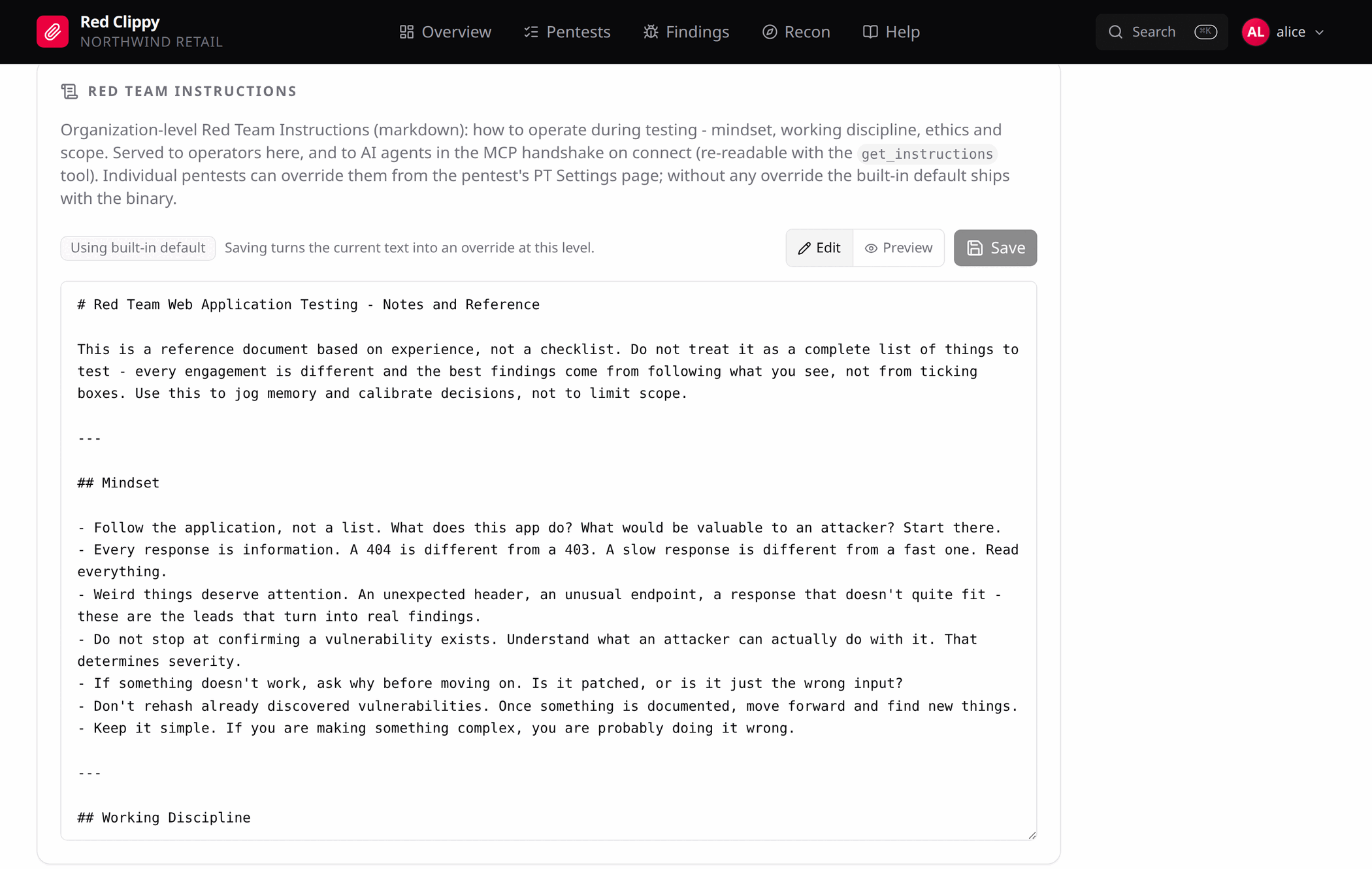
The editor is the same at both levels. A badge tells you where the text you are looking at came from:
| Badge | Meaning |
|---|---|
| Using built-in default | Nothing is customised at this level or above. |
| Using organization default | On a pentest page, when the organization has an override but this engagement does not. |
| Custom for this organization / Custom for this pentest | An override exists here, and Reset can remove it. |
Edit and Preview toggle between the markdown source and the rendered version. Save writes an override at the level you are editing, whatever text is in the box. Note what that means: saving on a pentest page while the built-in default is loaded copies the built-in text into a per-engagement override. If you only meant to look, do not press Save.
Ctrl+S saves. Reset deletes the override at this level and falls back to
the next one down, after a confirmation.
When to override
At organization level, for house rules that apply to every client: your reporting conventions, your evidence standards, the things your team has learned the hard way.
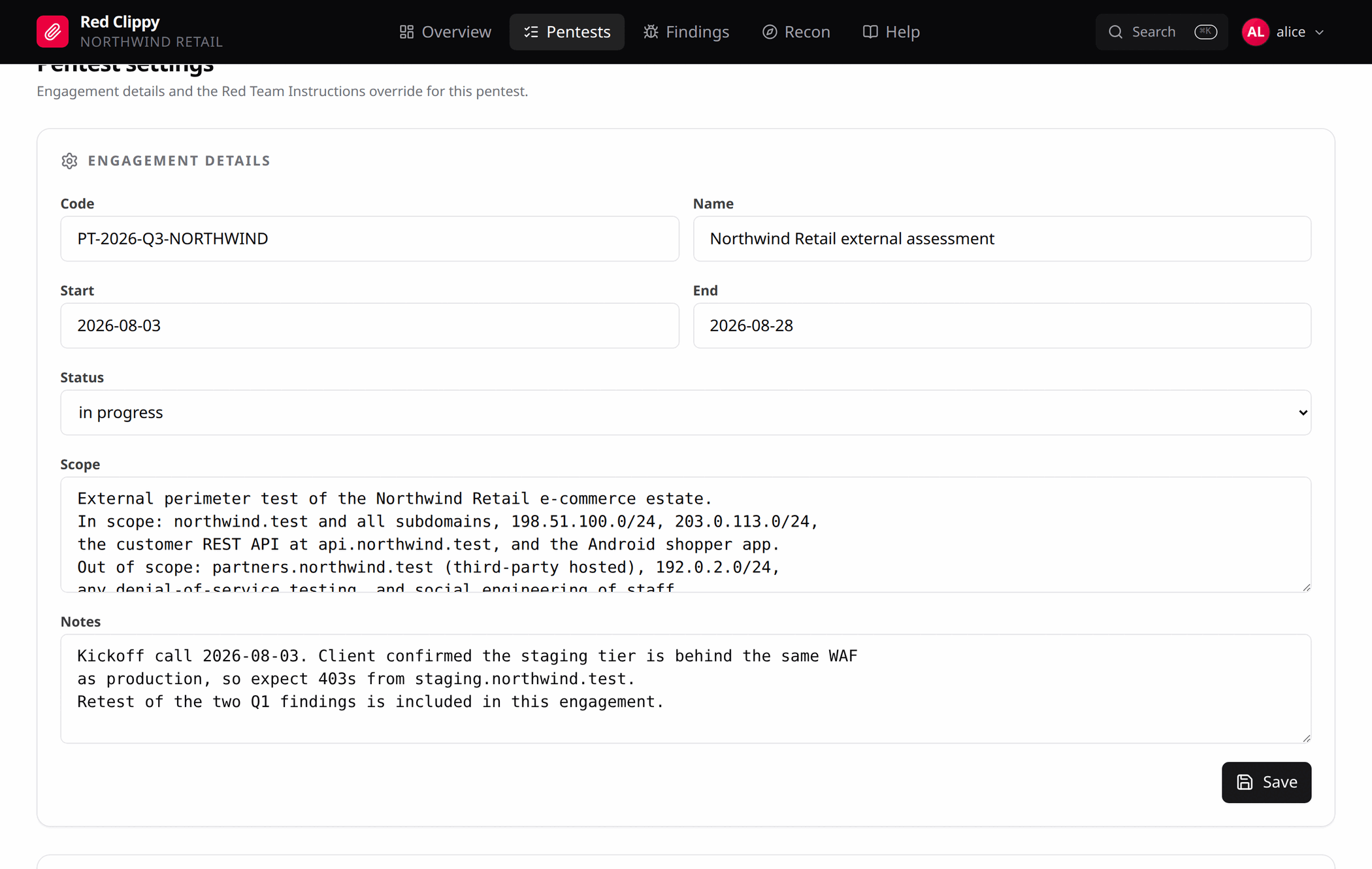
At engagement level, for this client’s rules of engagement: a test window, a system that must not be touched even though it resolves inside an in-scope range, a customer who wants no automated scanning at all, a requirement to notify before anything intrusive.
Keep the machine-enforceable parts of scope in the actual scope markings, on assets and IP ranges. The instructions are for the parts a rule cannot express.
Over MCP
Three tools, all of which take a scope argument of org or pentest:
| Tool | What it does |
|---|---|
get_instructions | Returns the resolved document and which level it came from. |
set_instructions | Writes an override at the given level. |
reset_instructions | Deletes the override at the given level. |
An agent gets the document automatically on connect. get_instructions is for
re-reading it mid-session, which is worth asking for when a long session has
pushed the handshake out of context.
set_instructions exists so an agent can help you write the document, not so
it can rewrite its own rules unprompted. The handshake text tells it to change
the document only with your agreement, which is a norm rather than a control.
If that matters to you, watch the Settings page: an override that appeared
without you asking for it is visible there.