SOAP Scan
SOAP Scan analyzes SOAP-based web services for security vulnerabilities. Upload a WSDL or XML file that defines the service, and the scanner automatically discovers and tests all exposed operations for common security issues.
Adding a Scan
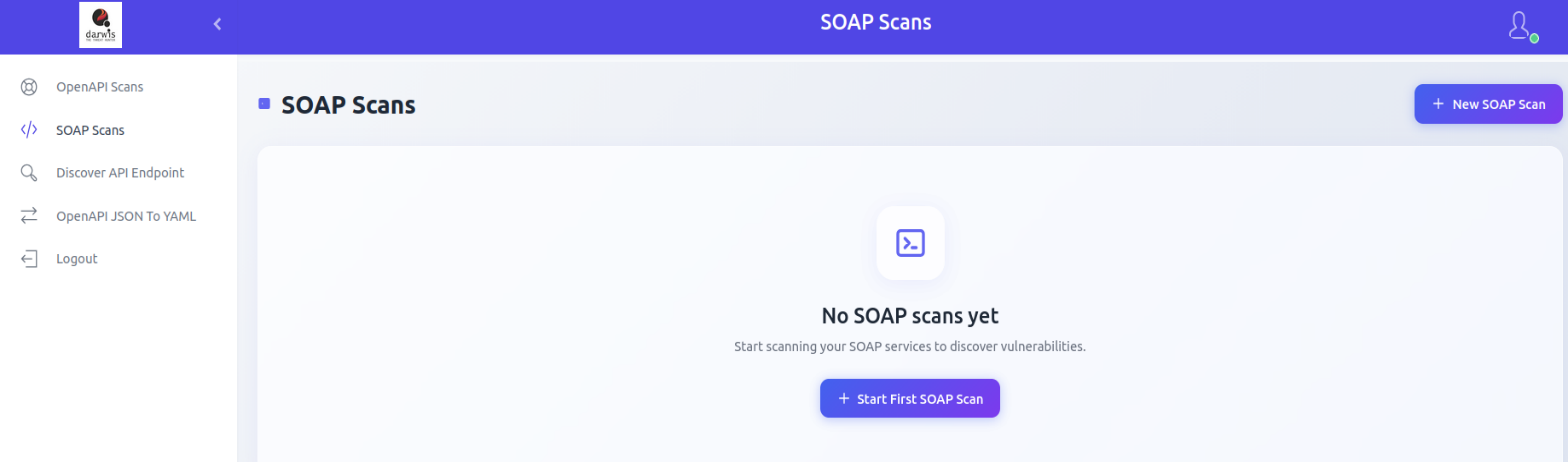
From the sidebar, click SOAP Scans. If no scans exist, click Start First SOAP Scan. Otherwise, click New SOAP Scan in the top-right corner.
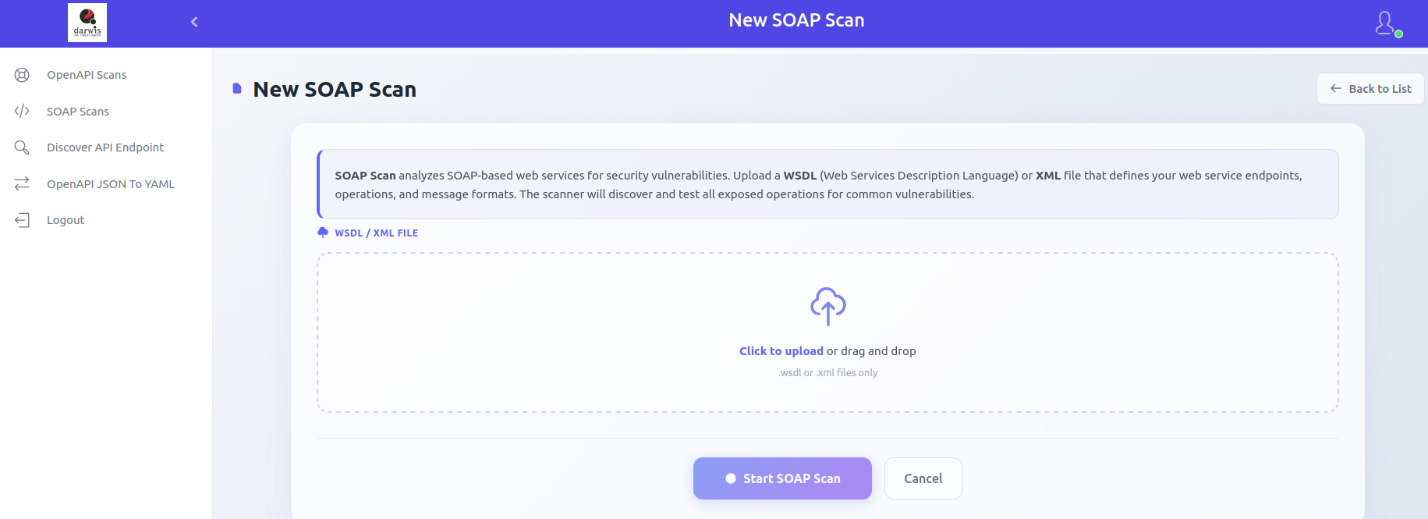
Select a .wsdl or .xml file by clicking Click to upload or by dragging and dropping it. The system parses the file and discovers service endpoints.
Scan Scope
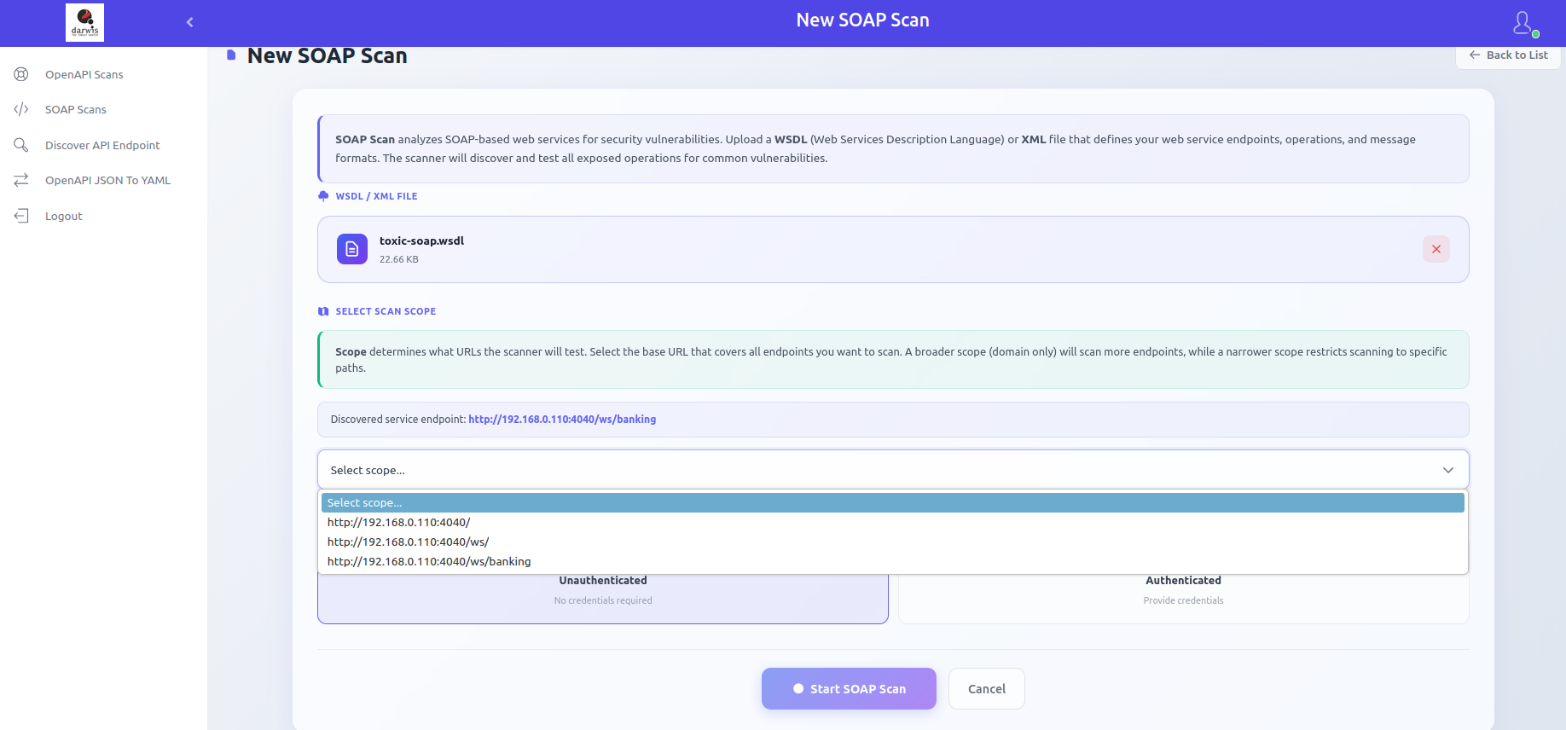
After upload, review the discovered service endpoints. Select the appropriate scan scope from the dropdown to define which URLs and paths will be tested.
Unauthenticated Scan
Tests SOAP operations without credentials.
Authenticated Scan
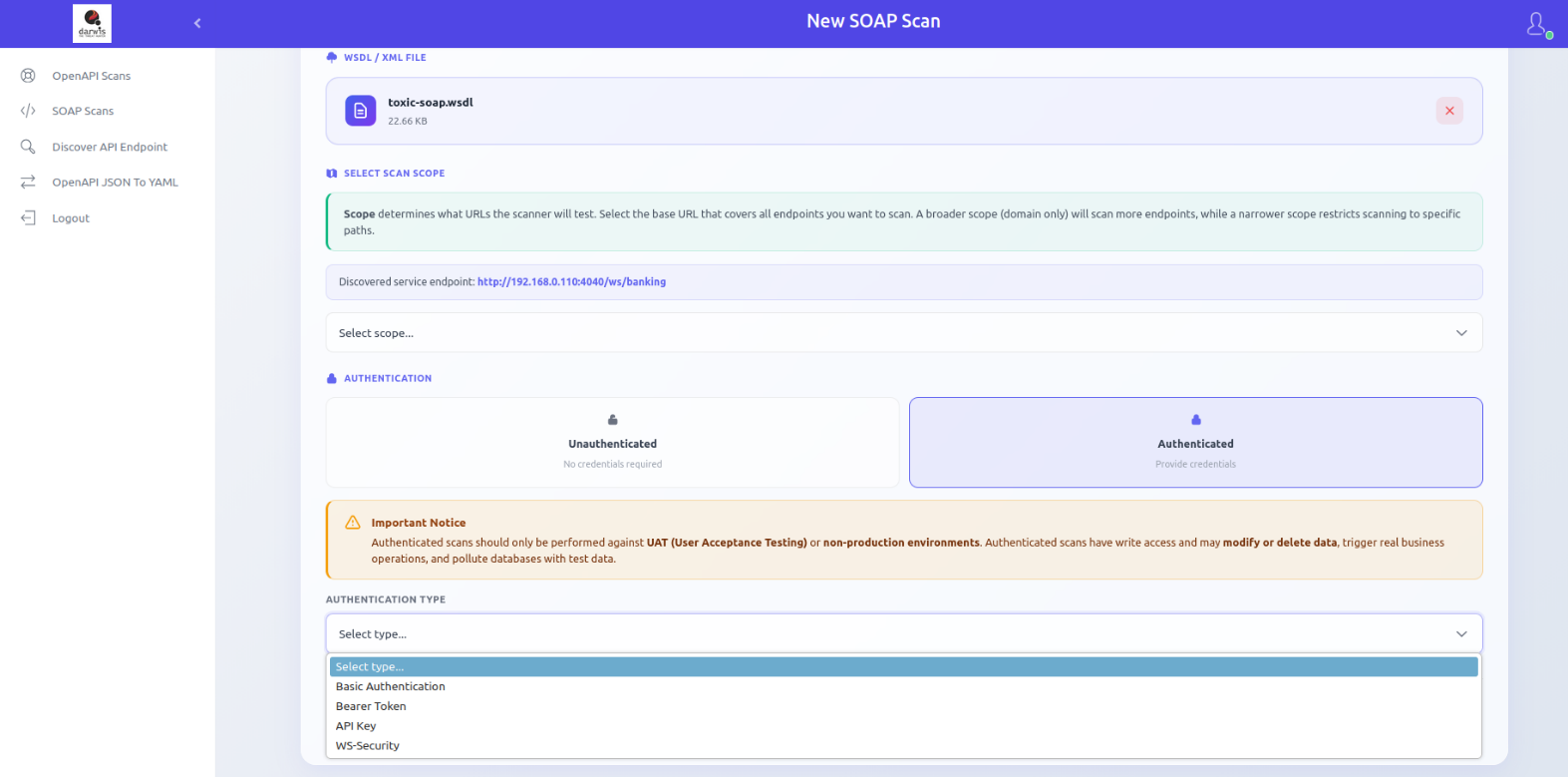
Tests SOAP operations using valid credentials. Supported methods:
- Basic Authentication - Username and password
- Bearer Token - Authorization token
- API Key - Custom API key header
- WS-Security - SOAP-level security credentials
Warning
Only run authenticated scans on UAT or non-production environments. Authenticated scans may have write access and can modify or delete data, trigger real business actions (emails, payments), and pollute databases with test data.
Click Start SOAP Scan to begin. You will be redirected to the scan list.
Viewing Scans
Click SOAP Scans in the sidebar to view all scans.
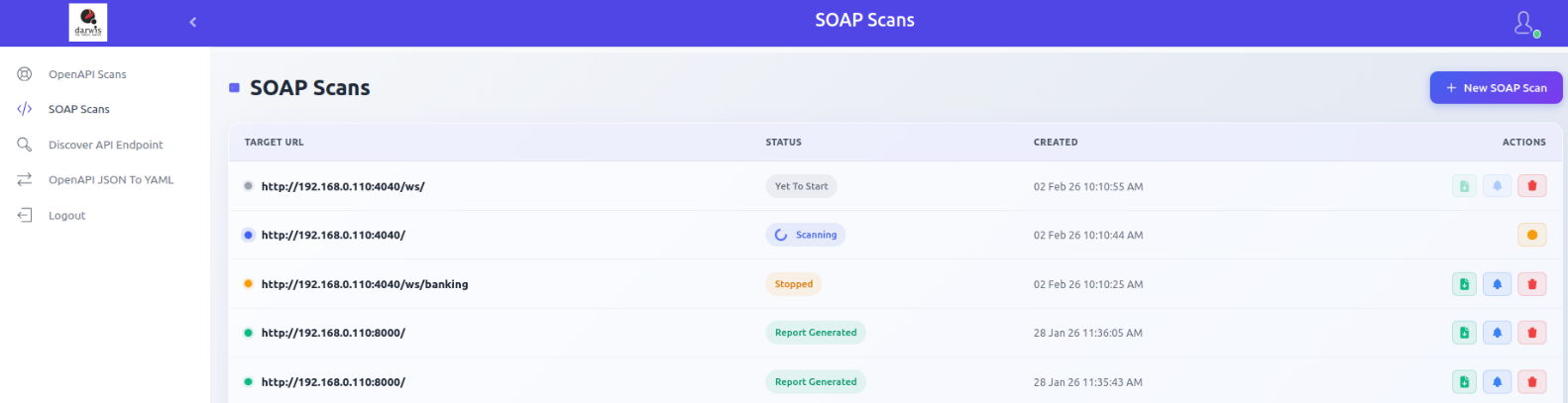
Available actions:
| Action | Description |
|---|---|
| Report | Download scan results in document format |
| View Results | View scan results within the panel |
| Delete | Remove the scan entry |
Scan statuses, reports, scan results, and export options work the same as OpenAPI Scan.